WhatsApp has become the dominant messaging platform across Uzbekistan, with over 22 million active users — meaning nearly every adult in the country uses it daily. WhatsApp Business API allows companies to automate customer support at scale, handling thousands of conversations simultaneously without adding headcount. For businesses in Toshkent and beyond, deploying the API in 2026 is no longer a luxury — it is a competitive necessity. Here is how to understand exactly how to set up WhatsApp Business API for Uzbekistan, build automation flows, integrate chatbots, calculate ROI, and see real examples of local companies already winning with this technology.
What Is WhatsApp Business API and Why Does It Matter for Uzbekistan?
WhatsApp Business API is a programmable messaging interface that lets medium and large businesses send and receive WhatsApp messages at scale through software, not just through a phone app. Unlike the free WhatsApp Business app (limited to a single device and manual replies), the API connects directly to your CRM, helpdesk, or custom chatbot platform and handles unlimited concurrent conversations.
Uzbekistan is one of the highest-WhatsApp-penetration markets in Central Asia. In Toshkent alone, surveys conducted by local digital agencies in early 2026 show that 78% of consumers prefer to contact a business via WhatsApp rather than phone or email. This preference is even stronger among the 18–35 demographic that drives e-commerce and service purchases. For retailers, logistics companies, banks, clinics, and online services, ignoring WhatsApp means ignoring your customers' preferred channel.
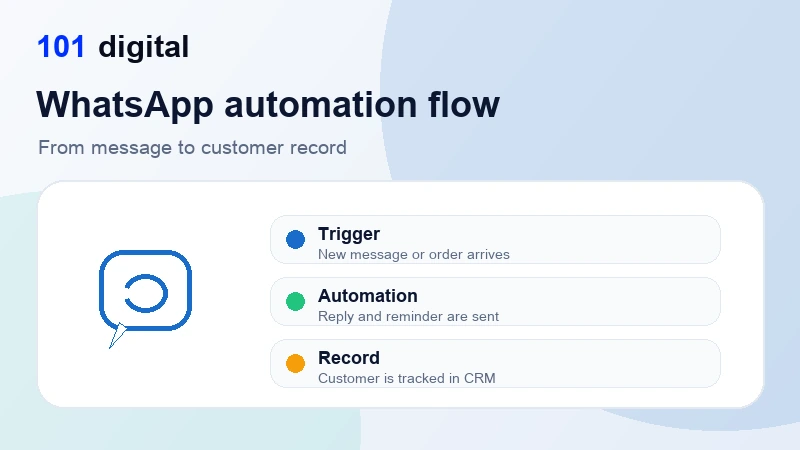
The API makes WhatsApp a two-way automation engine: businesses can send proactive notifications (order confirmations, appointment reminders, shipping updates) and receive inbound messages that trigger automated responses, escalate to live agents only when needed, and log everything in a CRM.
WhatsApp Business App vs. API: Key Differences
| Feature | WhatsApp Business App (Free) | WhatsApp Business API |
|---|---|---|
| Devices / agents | 1 phone, up to 5 linked devices | Unlimited agents via web dashboard |
| Automation / chatbot | Basic away messages only | Full chatbot, NLP, AI integration |
| CRM integration | None | Native via webhooks & REST API |
| Broadcast messages | Max 256 contacts, opt-in not enforced | Unlimited, template-based, opt-in required |
| Analytics & reporting | None | Delivery, read, response rate dashboards |
| Monthly cost | Free | Per-conversation pricing (see below) |
| Best for | Micro businesses, <50 chats/day | Growing businesses, 50+ chats/day |
How Do You Set Up WhatsApp Business API in Uzbekistan?
Setting up WhatsApp Business API requires going through a Meta-approved Business Solution Provider (BSP). You cannot apply directly to Meta for API access — you must partner with a BSP who provisions your account, manages compliance, and provides the hosting infrastructure. Here is the step-by-step process for an Uzbekistan business in 2026.
Step 1 — Verify Your Business on Meta
You need a Meta Business Manager account verified with your company name, address, and business registration documents. Uzbekistan businesses should upload their state registration certificate (guvohnoma) and tax identification number. Verification typically takes 2–5 business days.
Step 2 — Choose a BSP or Platform
Popular BSPs serving Central Asia include Twilio, 360dialog, Wati, and Respond.io. Each has different pricing structures and feature sets. 360dialog is particularly cost-effective for high-volume senders because it charges a flat monthly fee rather than per-message markups on top of Meta's conversation fees.
Step 3 — Register Your Phone Number
You need a dedicated phone number for the API — it cannot be an active WhatsApp number. Uzbekistan businesses typically use an Ucell, Beeline UZ, or MTS UZ number, or an international number if targeting multiple markets. The number is verified via OTP and migrated to the API within minutes.
Step 4 — Create and Get Message Templates Approved
Outbound messages (business-initiated) must use pre-approved templates. Templates are submitted to Meta for review (usually approved within 24 hours). Templates support dynamic variables: "Hello {{1}}, your order {{2}} has shipped and will arrive by {{3}}."
Step 5 — Build Your Automation Logic
Connect the API to your chatbot platform or CRM. Low-code platforms like ManyChat or Landbot let non-developers build conversation flows visually. For more complex workflows — Arabic/Russian/Uzbek language detection, integration with 1C accounting systems common in Uzbekistan, or custom AI agents — you will need developer resources or a partner agency. Our AI automation service specializes in exactly this kind of integration for Uzbekistan businesses.
How Can You Build Customer Support Automation Flows?
The power of WhatsApp Business API comes from designing intelligent conversation flows that resolve the majority of customer queries without any human involvement. Based on implementations across Toshkent retail and service businesses, roughly 60–70% of inbound support queries fall into categories that can be fully automated.
The Core Automation Framework
Every effective WhatsApp support automation is built on three layers:
- Intent detection — Understanding what the customer wants (order status, refund, product question, complaint)
- Data retrieval — Fetching the relevant information from your backend (order management system, inventory, CRM)
- Response delivery — Returning a clear, personalized answer in the customer's language
Top 5 Automation Flows for Uzbekistan Businesses
1. Order tracking bot — Customer sends order number or phone number, bot queries order management system, returns status with estimated delivery date. This single flow handles 40–50% of all inbound e-commerce support messages.
2. Appointment booking & reminders — Common in clinics, salons, and consulting firms across Toshkent. Customer selects service, date, and time from a menu. Confirmation is sent instantly; reminder sent 24 hours and 1 hour before appointment. No-show rates drop by 30–40%.
3. FAQ deflection bot — A menu-driven or NLP-powered bot answers the top 20 frequently asked questions about products, delivery zones, return policies, and payment options. Build this in Uzbek, Russian, and English to cover your full Toshkent customer base.
4. Lead qualification flow — Inbound inquiries from advertising are captured, qualified (budget, timeline, requirements), and routed to the correct sales team member. Integration with your digital marketing campaigns means ad leads flow directly into WhatsApp qualification without a landing page drop-off.
5. Post-sale feedback & upsell — 3 days after purchase, bot sends a satisfaction survey (1–5 stars). Positive responses trigger an upsell offer; negative responses immediately escalate to a customer success agent. This flow alone can increase repeat purchase rate by 15–25%.
Escalation Logic: When to Hand Off to a Human
Good automation always includes clean escalation paths. Set up handoff triggers when: the customer types "agent", "human", or "help"; the bot fails to match intent twice in a row; the conversation involves a complaint with emotional language; or the ticket value exceeds a threshold (e.g., orders over $500). The technical integration between WhatsApp and your helpdesk (Zendesk, Freshdesk, or custom) ensures agents see full context without asking the customer to repeat themselves.
What Does WhatsApp Business API Cost and What ROI Can You Expect?
Meta moved to a conversation-based pricing model in 2024 and updated rates in 2025. Costs vary by conversation category and the country of the business initiating or receiving the conversation. Here are the current rates relevant to Uzbekistan-based businesses.
Meta Conversation Pricing (2026, USD)
| Conversation Type | Who Initiates | Cost per Conversation | Free Tier |
|---|---|---|---|
| Service (support) | Customer | ~$0.005–$0.015 | 1,000 free/month |
| Utility (transactional) | Business | ~$0.02–$0.05 | None |
| Authentication | Business | ~$0.03–$0.08 | None |
| Marketing | Business | ~$0.05–$0.12 | None |
A Toshkent e-commerce business handling 5,000 inbound customer service conversations per month would pay roughly $25–$75/month in Meta fees alone — a fraction of the cost of a single customer support agent. Add BSP platform fees ($50–$300/month depending on provider and volume) and the total technology cost is typically $100–$400/month.
ROI Calculation Example
Consider a mid-sized Toshkent online retailer with 3 customer support agents earning 3,000,000 UZS/month each (approximately $240 USD at current rates):
- Current support cost: 3 agents x $240 = $720/month
- After automation (bot handles 65% of queries): 1 agent needed = $240/month
- WhatsApp API platform cost: ~$200/month
- Monthly saving: $280 ($720 minus $240 minus $200)
- One-time implementation cost: ~$2,000–$4,000
- Payback period: 7–14 months
Beyond cost savings, businesses consistently report faster response times (average first response drops from 4 hours to under 2 minutes), higher customer satisfaction scores, and increased repeat purchases due to proactive notifications.
How Are Toshkent Businesses Using WhatsApp Automation in 2026?
The adoption of WhatsApp Business API across Uzbekistan has accelerated significantly in 2025–2026. Here are representative use cases from Toshkent's key sectors.
Retail and E-commerce
Toshkent-based online fashion retailers have deployed order-status bots that integrate with their 1C-based warehouse management systems. Customers receive automatic shipping updates and can track orders by simply sending their phone number. One Chilonzor district retailer reported a 68% reduction in inbound support calls within 60 days of deployment, freeing their 4-person team to focus on exchanges and returns.
Healthcare and Clinics
Private clinics in Toshkent's Yakkasaroy and Mirzo Ulugbek districts use WhatsApp API for appointment booking, test result notifications, and prescription renewal reminders. Patients overwhelmingly prefer WhatsApp over phone calls for non-urgent communications. Clinics report no-show rates dropping from 22% to 9% after implementing 24-hour WhatsApp reminders.
Banking and Financial Services
Several Uzbekistan digital banks and payment services use the API for transaction alerts, OTP delivery, and fraud notifications. The authentication conversation type (see pricing table above) is ideal for this use case. Given that Uzbekistan's Central Bank has explicitly encouraged digital channel adoption in its 2025–2027 fintech roadmap, WhatsApp authentication and notification flows align with regulatory direction.
Travel and Tourism
Tour operators serving the Samarqand–Buxoro–Toshkent tourist circuit use WhatsApp automation to send booking confirmations, visa guidance documents, hotel check-in instructions, and post-tour feedback surveys. International tourists (particularly from Russia, China, and Turkey — Uzbekistan's top three source markets) already use WhatsApp, making it the lowest-friction channel for this audience.
Real Estate
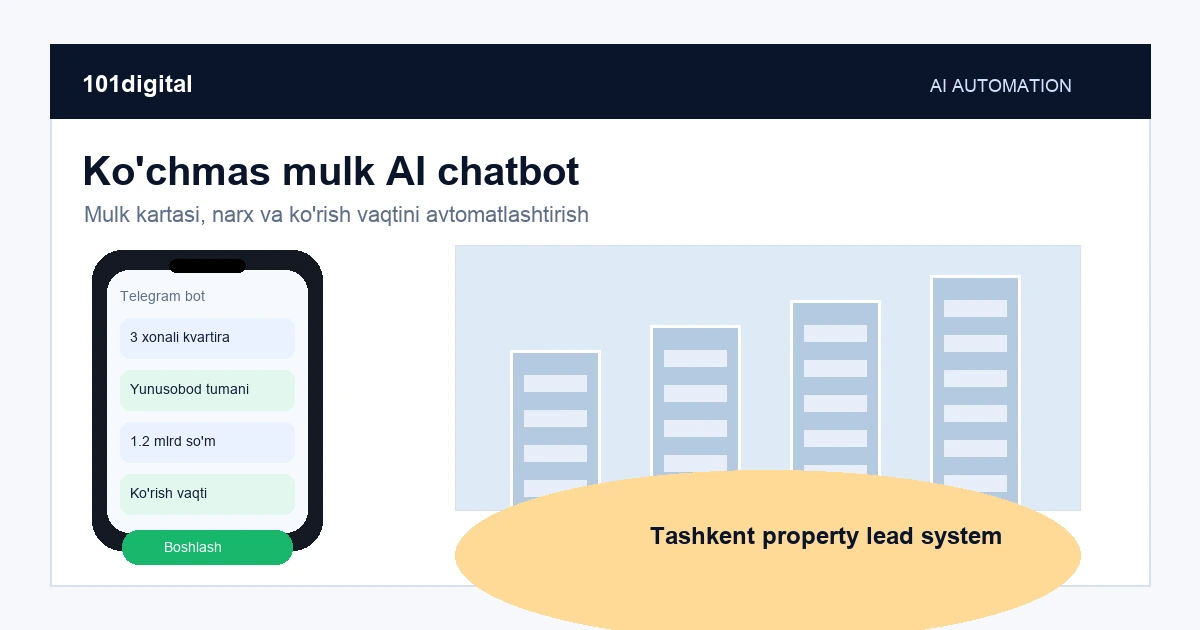
New residential developments in Toshkent's rapidly expanding districts (Sergeli, Yunusobod) use WhatsApp lead qualification bots that ask prospects about budget, desired floor plan, and move-in timeline before routing them to a sales agent. Developers report a 40% reduction in unqualified agent calls, letting sales teams focus on serious buyers.
Frequently Asked Questions
Yes, WhatsApp Business API is fully available in Uzbekistan. You access it through a Meta-approved Business Solution Provider (BSP). Businesses register using their Uzbekistan company documents and a local phone number from any Uzbekistan carrier (Ucell, Beeline UZ, MTS UZ, Uzmobile). There are no country-level restrictions on API access for Uzbekistan.
A basic setup with a BSP account, verified phone number, and 2-3 approved message templates typically takes 3-7 business days. A full customer support automation with chatbot flows, CRM integration, and multi-language support (Uzbek, Russian, English) takes 3-6 weeks depending on complexity. 101digital's standard WhatsApp automation implementation for Toshkent clients takes 4 weeks from kickoff to go-live.
The API itself is language-agnostic — it delivers any text or media you program into it. You can build flows in Uzbek (Latin or Cyrillic), Russian, English, and any other language. For AI-powered natural language understanding, leading NLP platforms now include Uzbek language models. Meta's message templates support all Unicode characters, so Cyrillic, Latin Uzbek, Arabic, and Chinese are all supported.
Yes. Integration between WhatsApp Business API and 1C:Enterprise (widely used in Uzbekistan for ERP, inventory, and accounting) is achieved via middleware — typically a custom API bridge or a platform like n8n or Make (Integromat). When a customer asks for their invoice or order status, the WhatsApp bot queries 1C in real time and returns the data. This is one of the most common integration requests from Toshkent businesses implementing WhatsApp automation.
Both platforms have strong adoption in Uzbekistan. WhatsApp has higher penetration among the 30+ demographic and among consumers from rural areas and smaller cities like Namangan, Andijon, and Farg'ona who received smartphones primarily for messaging. Telegram is dominant among tech-savvy users and B2B professionals in Toshkent. For customer support automation targeting the broadest possible audience, WhatsApp is the better primary channel; Telegram is an important secondary channel. Many Uzbekistan businesses run both in parallel.